

Google Forms vs SurveyMonkey: Which survey tool is better?
Google Forms is built for fast, simple surveys and easy export to Google Sheets. SurveyMonkey is more survey-focused (templates, programs like NPS, and integrations), but many limits depend on your plan.
Quick Verdict
• Choose Google Forms if you want a simple survey you can launch quickly and analyze in Google Sheets.
• Choose SurveyMonkey if you need survey templates (including NPS-style programs), more distribution/admin options for teams, and lots of integrations.
• Pick SurveyMonkey cautiously if you expect high response volume: limits and overage charges can affect total cost.
• Both are fine for basic feedback collection, but neither is positioned here as a research-grade platform based on the provided source details.
Key Takeaways
- Fast setup vs survey programs: Google Forms is optimized for quick creation and sharing; SurveyMonkey is organized around common survey programs and templates.
- Analysis approach: Google Forms’ native reporting is basic, but exporting to Google Sheets is a practical workaround; SurveyMonkey positions itself as more survey-analytics oriented, though capabilities vary by plan.
- Plan gating matters: SurveyMonkey’s free plan only lets you view 25 responses per survey, and key features/limits change substantially by tier.
- Integrations and org controls: SurveyMonkey cites 200+ integrations and offers team/enterprise controls (roles, permissions, SSO options); Google Forms’ collaboration is strong inside Google Workspace workflows.
- Pricing clarity: SurveyMonkey lists plan names (and some response-limit/overage details); Google Forms pricing/limits for survey use cases were not clearly documented in the provided sources.
How Do Google Forms and SurveyMonkey Compare?
Google Forms is a lightweight builder with basic logic branching, simple charts, and Google Sheets export. SurveyMonkey is a dedicated survey platform with extensive templates, an AI prompt-based draft option, and broad integrations. The biggest day-to-day differences come down to template depth, admin/integrations, and how response limits and features change by plan. Use the table below to compare what you get out of the box versus what’s tier-dependent.
| ||
|---|---|---|
| Overall Score |
|
|
| Starting Price |
|
|
| Free Plan |
|
|
| Standout Features |
|
|
| Areas to Improve |
|
|
| Recommended For |
|
|
Best Form Experience: Google Forms
Google Forms is designed to get a survey live quickly with a simple editor and straightforward sharing (link, email, embed). SurveyMonkey is also easy to start, but plan gating and response limits on lower tiers can make the early experience feel constrained once you move beyond testing.
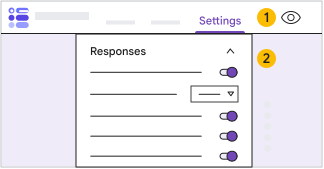

Comparing forms created on Google Forms (on the left) and SurveyMonkey (on the right)
Best Building Experience: SurveyMonkey
SurveyMonkey is more survey-specific during build: it offers 500+ templates and an AI prompt-based option to draft a survey, which helps for common programs like NPS and employee pulse checks. Google Forms covers core question types and basic branching, but it’s more general-purpose and lighter on survey methodology features based on the provided sources.
Best Pricing: SurveyMonkey
SurveyMonkey at least provides a free Basic plan and names its paid tiers, with some concrete limit/overage information available (e.g., view 25 responses on free; overages charged per response on some plans). Google Forms pricing and plan limits for survey-specific use cases were not clearly available in the provided sources, making value harder to assess from facts.
Both tools offer a discount for annual billing. Check their pricing pages for the latest offers.
Best Functionality: SurveyMonkey
SurveyMonkey is positioned as a fuller survey platform with templates for common programs (including NPS), 200+ integrations, and team/enterprise options like roles, permissions, and SSO/data residency choices. Google Forms supports basic branching and exports to Sheets, but advanced logic, richer reporting, and research-grade features are not clearly evidenced in the provided materials.
Best Support: SurveyMonkey
SurveyMonkey has explicit team/enterprise positioning (including mentions of premium onboarding and Customer Success at enterprise), which typically corresponds to more formal support pathways. For Google Forms, the provided sources did not include concrete details about support SLAs or survey-specific help resources, so it’s harder to justify it as the stronger support option here.
The Final Verdict: Should you use Google Forms or SurveyMonkey?
Pick Google Forms if you want a straightforward way to create and share a simple survey fast, especially if your workflow already lives in Google Workspace and you’re happy analyzing results in Google Sheets. Pick SurveyMonkey if you want a more survey-focused product: lots of templates, a guided start (including AI drafting), and an integrations/admin story that fits teams and larger organizations. For pricing, SurveyMonkey is clearer on plan names and offers a free plan, but its 25 viewable-response cap on Basic and overage charges can make costs and limits a real constraint as you scale. Google Forms is harder to evaluate on price from the provided sources because survey-specific plan limits weren’t clearly documented. In practice, Google Forms wins for simple, internal, “get it done today” surveys; SurveyMonkey wins for standardized feedback programs and org needs where templates, integrations, and governance matter.
This comparison is based on our standardized testing methodology where we put both tools through the same rigorous evaluation process.
- We create real accounts and build actual forms.
- We test specific features like logic, payments, and integrations.
- We evaluate the respondent experience on mobile and desktop.
- We verify pricing claims and support responsiveness.