


SurveySparrow vs Typeform: Which survey tool is better?
SurveySparrow and Typeform both cover modern survey workflows like link sharing, embeds, logic, and integrations. The right choice depends on whether you prioritize operational feedback programs (SurveySparrow) or a polished, conversational respondent experience (Typeform).
Quick Verdict
• Choose SurveySparrow if you need email distribution, CX/NPS-style feedback programs, and plan-based integrations/workflows (webhooks on higher tiers).
• Choose Typeform if respondent experience and design matter most, and you want strong branching (logic + multiple endings) and lots of integration options.
• Choose either if you mainly need link/embedded surveys with basic reporting—then decide based on budget and which features are gated on the tier you can afford.
• If you need deep, statistical survey analysis or high-volume responses on a tight budget, shortlist alternatives alongside both.
Key Takeaways
- Typeform is usually the better pick for presentation. Its one-question-at-a-time format and branded design controls are aimed at completion rate and polished surveys.
- SurveySparrow leans more operational. It emphasizes distribution (including email) and customer feedback workflows, with integrations and automation expanding by plan.
- Pricing clarity differs. Typeform lists clear starting prices ($29/month Basic), while SurveySparrow’s captured pricing details don’t show the actual dollar amounts, making value harder to compare quickly.
- Expect feature gating on both tools. Branding, advanced analytics/insights, and some automation/support options typically live on higher tiers.
- Neither tool is positioned as an analysis-first research platform. Both are strongest for customer feedback, lead capture, and lightweight research—not heavy statistical work.
How Do SurveySparrow and Typeform Compare?
Both tools let you build surveys with logic, share via link, and embed on websites. SurveySparrow puts more emphasis on email distribution, feedback programs, and plan-based automation (like workflows/webhooks). Typeform focuses on a conversational survey experience, design, and a broad integrations ecosystem, with optimization/insights features appearing on higher tiers. Use the table to compare what you get at entry pricing and what’s locked behind upgrades.
| | |
|---|---|---|
| Overall Score |
|
|
| Starting Price |
|
|
| Free Plan |
|
|
| Standout Features |
|
|
| Areas to Improve |
|
|
| Recommended For |
|
|
Best Form Experience: Typeform
Typeform is designed around a conversational, one-question-at-a-time experience and branded presentation, which tends to matter for customer-facing surveys. If completion rate and a polished look are priorities, Typeform is usually the more purpose-built choice.
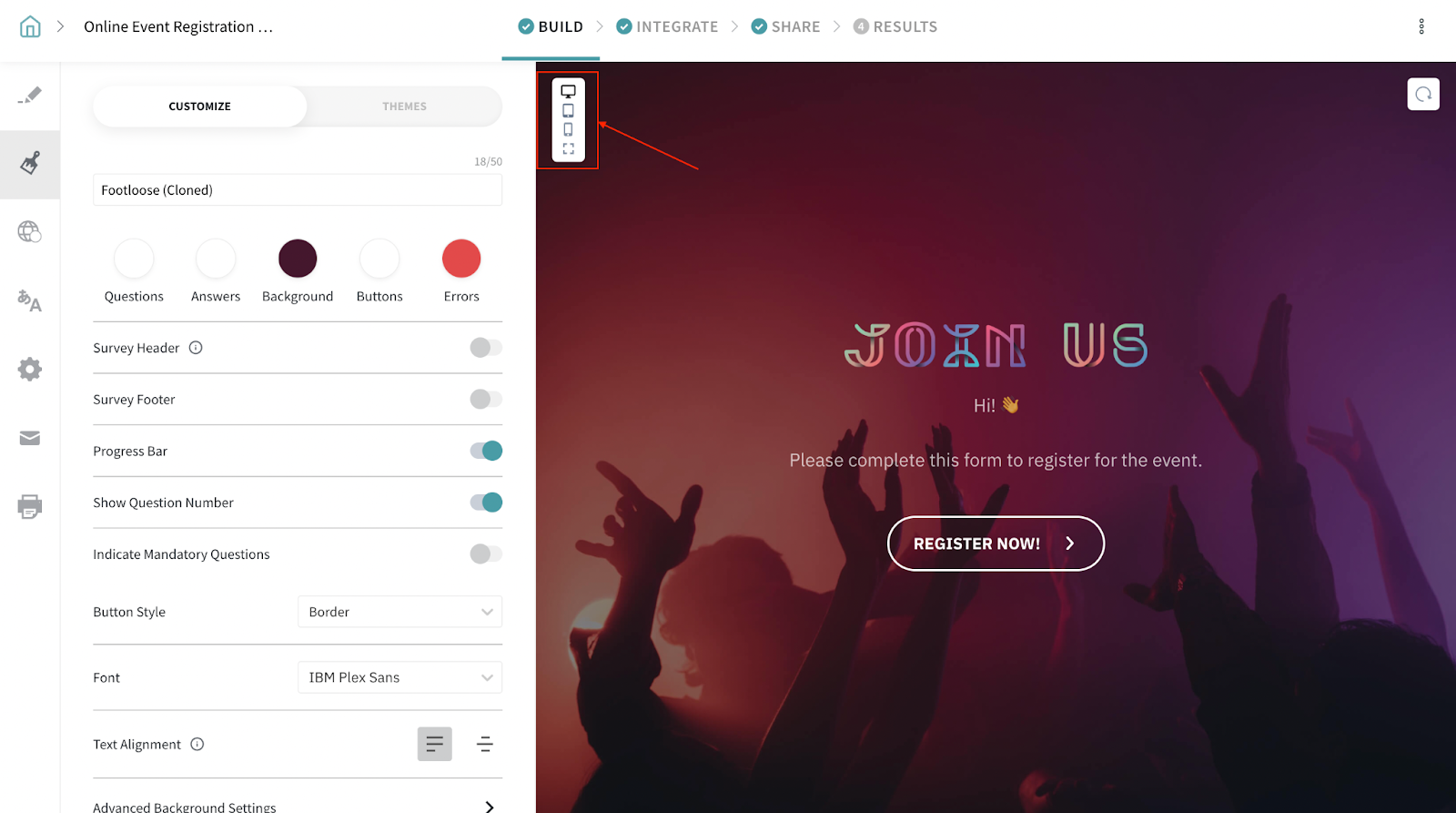
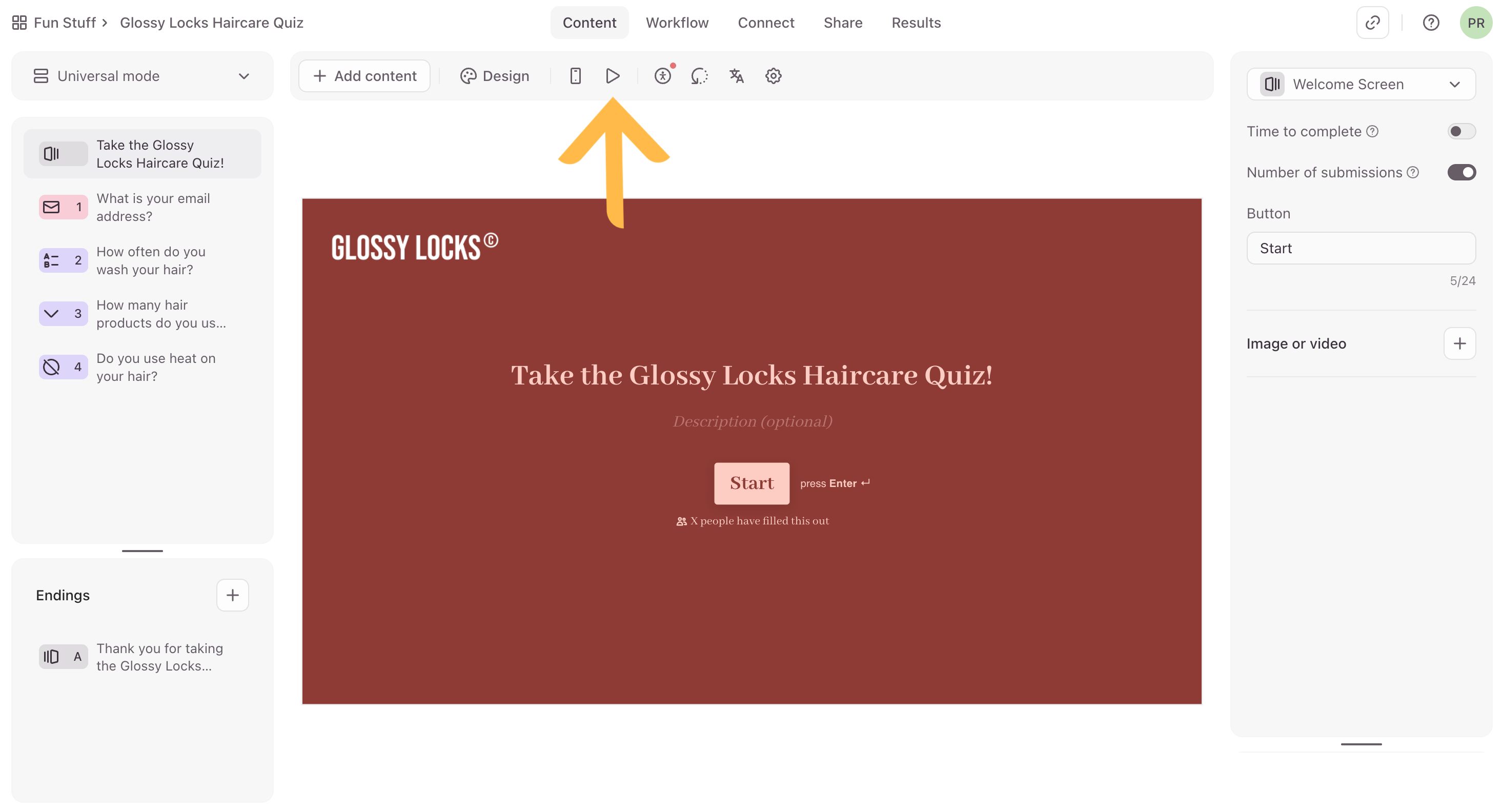
Comparing forms created on SurveySparrow (on the left) and Typeform (on the right)
Best Building Experience: Typeform
Typeform’s builder is oriented around guided, conversational flows with conditional logic and multiple endings, which suits interactive surveys and lead capture. SurveySparrow covers standard building and logic, but its differentiation is more about distribution and feedback operations than the build flow itself.
Best Pricing: Typeform
Typeform provides clear, published starting prices (e.g., Basic at $29/month), making it easier to judge cost and compare tiers. In the captured SurveySparrow pricing text, the paid plan dollar amounts and free-plan limits aren’t visible, which makes value harder to evaluate quickly.
Both tools offer a discount for annual billing. Check their pricing pages for the latest offers.
Best Functionality: Typeform
Typeform offers a wide set of integrations (including Zapier, Google Sheets, HubSpot, Slack, Salesforce), plus webhooks and higher-tier analytics like drop-off analysis and Smart Insights. SurveySparrow has strong survey distribution and common integrations, but several automation and advanced capabilities appear gated to higher tiers.
Best Support: SurveySparrow
SurveySparrow’s support entitlements are clearly tiered on the pricing page (24x5 email on lower tiers, 24x5 chat on Business, dedicated CSM on Enterprise). Typeform also varies support by tier, but the captured detail is less specific, so it’s harder to know what you’ll get without checking your plan.
The Final Verdict: Should you use SurveySparrow or Typeform?
Typeform is the better fit when you care most about respondent experience: conversational surveys, strong branching with multiple endings, and design-forward delivery for feedback or lead capture. SurveySparrow is a good choice for teams running customer feedback programs that need email distribution, operational workflows, and common business integrations that scale by plan. On pricing, Typeform is easier to evaluate quickly because it publishes clear starting prices, while the captured SurveySparrow pricing details don’t show exact paid plan amounts or free-plan limits. If your priority is high-volume surveying at low cost, or advanced statistical analysis, neither tool is positioned as the clear winner—plan to compare analysis-first or cheaper high-volume platforms. For most customer-facing surveys, Typeform wins on experience; for feedback operations with email and CX-style workflows, SurveySparrow is often the more practical pick.
This comparison is based on our standardized testing methodology where we put both tools through the same rigorous evaluation process.
- We create real accounts and build actual forms.
- We test specific features like logic, payments, and integrations.
- We evaluate the respondent experience on mobile and desktop.
- We verify pricing claims and support responsiveness.